Drill your plan.
Before the rig.
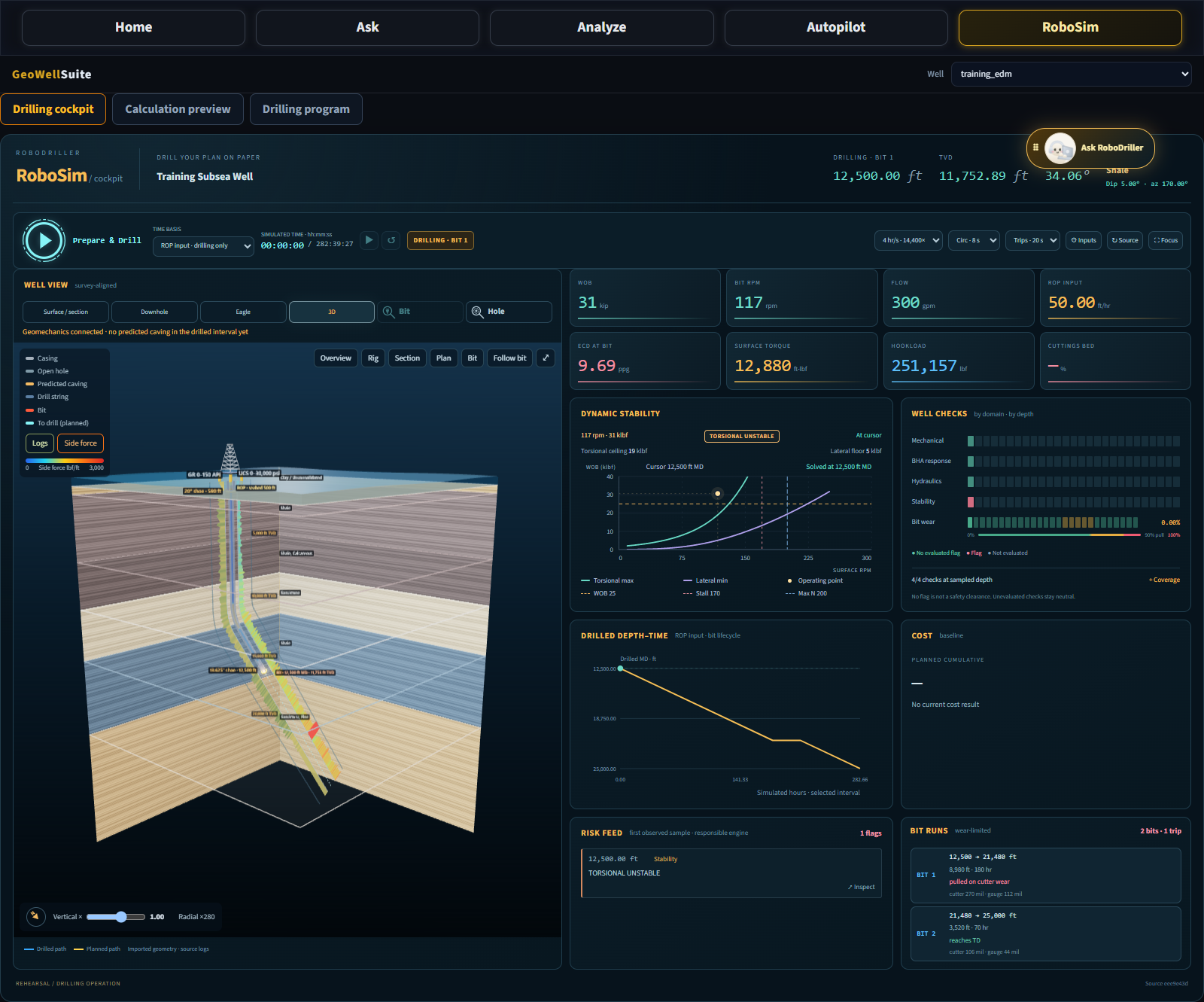
RoboSim turns your well model into a visual drilling rehearsal. Explore the well path, test operating inputs and inspect engineering responses as you move through the planned interval.
One well.
Connected engineering views.
Bring geometry, formations, operating parameters and evaluated results into the same view. Seek a depth, inspect the responsible engineering domain and see which checks have been evaluated.
See the well in context
Explore section, downhole, eagle and rotatable 3D views. Follow the drilled and planned paths alongside imported formations and source logs.
Change the operating point
Adjust WOB, RPM, flow, mud weight and ROP inputs. Apply and prepare the scenario to rebuild its engineering results while preserving the source well model.
Read the stability envelope
Compare the WOB–RPM operating point with calculated torsional and lateral stability limits. Inspect the evaluated result at the selected depth.
Follow bit wear and runs
Review calculated wear, wear-limited bit runs and planned pull depths. Connect bit changes to the drilling and tripping sequence.
Inspect tripping guidance
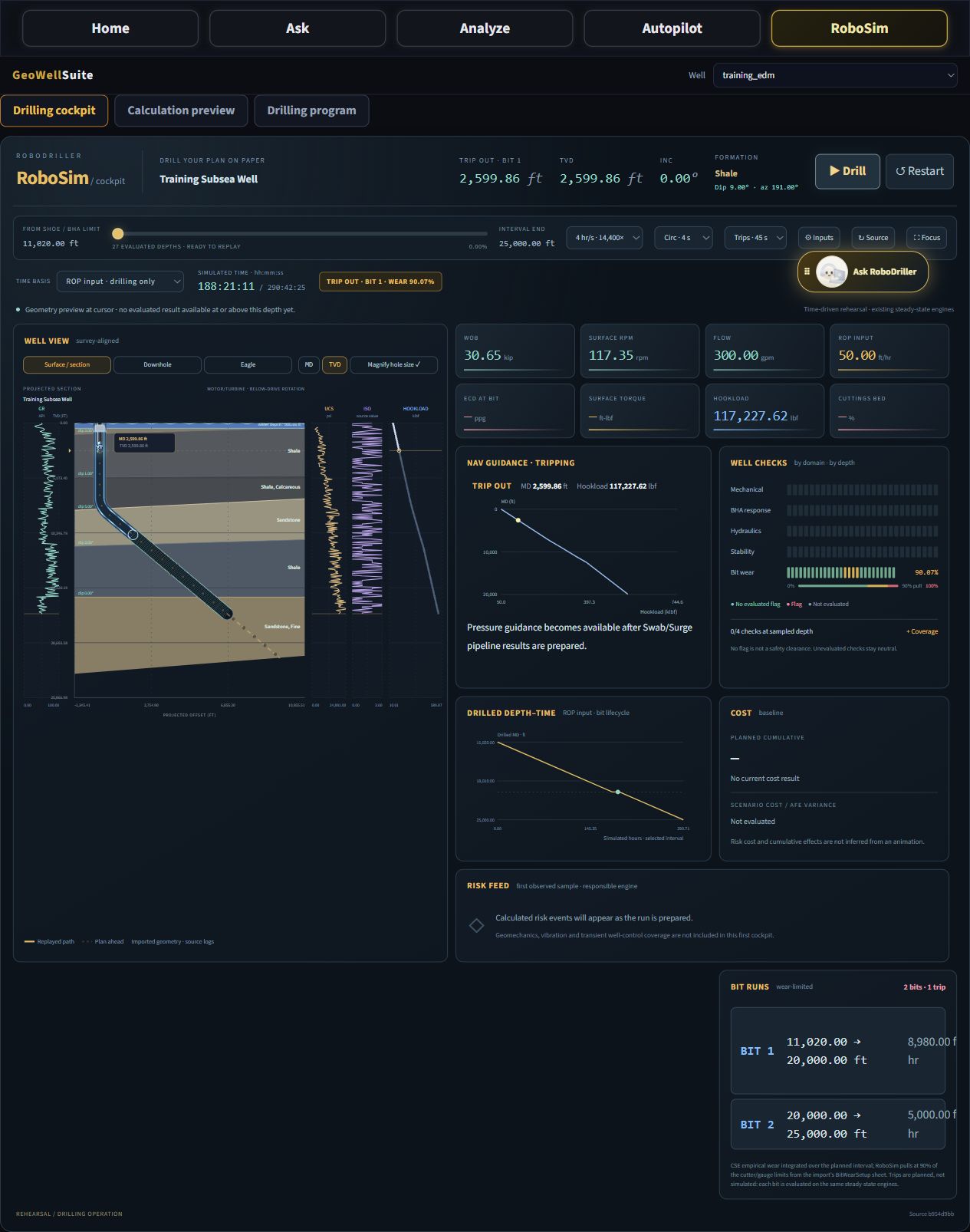
Review trip-in and trip-out hookloads and available pressure guidance. Swab/Surge calculations support optimum trip-speed guidance where the required inputs are available.
Locate the engineering flags
Use depth-based well checks and the risk feed to inspect calculated flags. Coverage indicators distinguish evaluated domains from unavailable results.
See where the well changes.
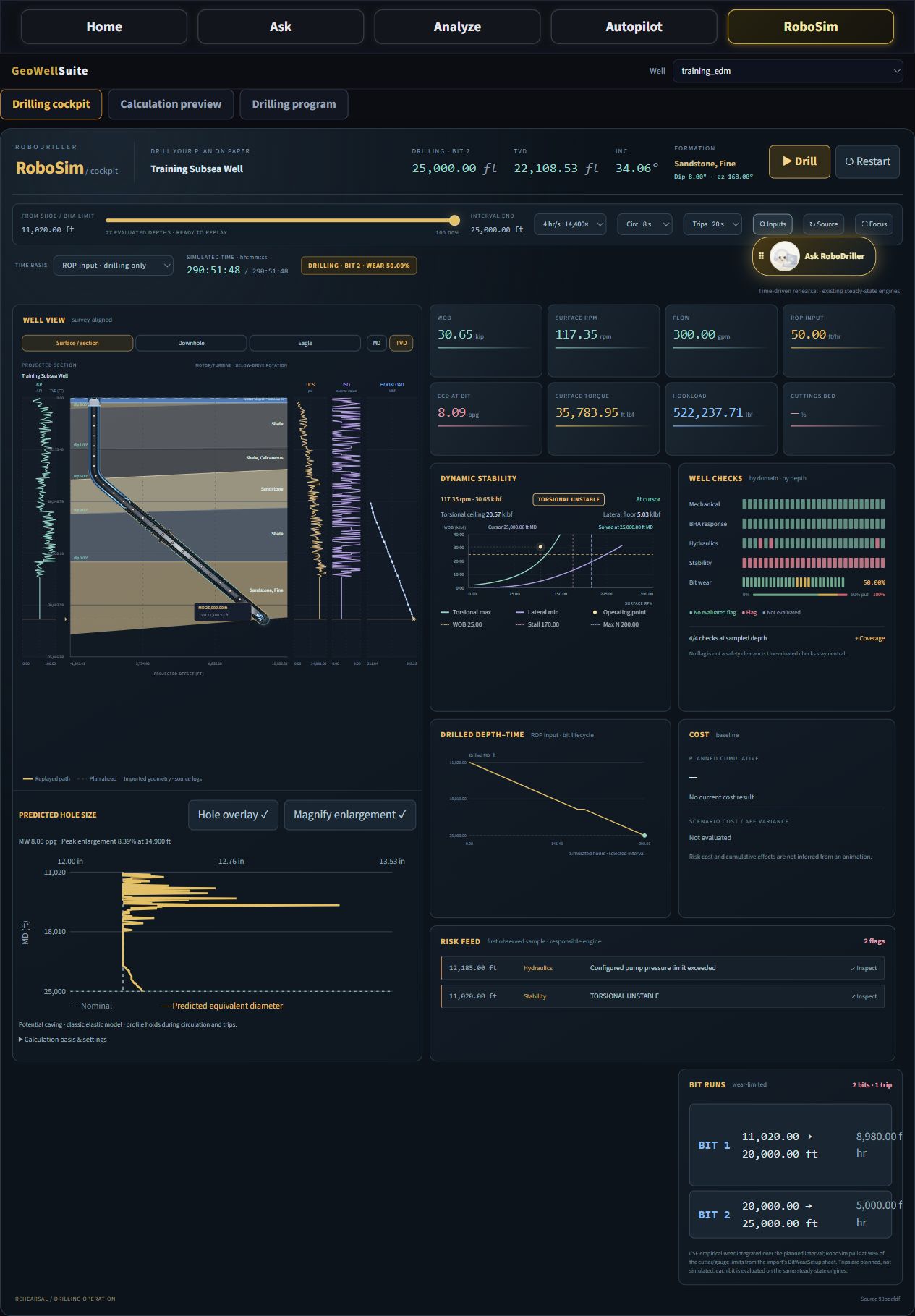
The well view places your drillstring and BHA inside the imported geological context. Connect the depth cursor to the path, formation and available engineering results.
- Survey-aligned geometry: switch between measured-depth and true-vertical-depth section views.
- Predicted caving: inspect calculated hole enlargement along the drilled interval.
- Closer inspection: use bit and hole inspection views to examine local behavior and calculated dimensions.
Rehearse the sequence.
Inspect the response.
Move through drilling, circulation and bit-change trip phases on the replay timeline. Examine the operating context at each stage instead of treating the well as one static calculation.
- Depth–time replay: select ROP-based drilling time or available drilling-plan and elapsed-plan timing.
- Tripping views: inspect hookload profiles and available pressure guidance as the string moves.
- Engineer-controlled playback: pause, restart, change playback speed and seek directly to a depth.
From well data
to a drilling rehearsal.
Start with the well you are engineering. Keep the inputs visible, prepare the scenario and review the results before deciding what to change.
Load your well
Open the well geometry, drillstring, fluids, formations and saved engineering configurations.
Set the scenario
Review operating inputs and choose the available timing basis for your rehearsal.
Prepare & replay
Calculate engineering samples and move through the interval at your chosen playback speed.
Inspect & refine
Examine flagged depths, check calculation coverage and rebuild after changing scenario inputs.
Bring your well.
See your plan in motion.
Explore RoboSim with iDrillWell and discuss the engineering questions your team needs to answer.